
Director & PSC checks will be a requirement from 18 November 2025 as part of the Economic Crime and Corporate Transparency Act (ECCTA). Inform Direct provides accountants a process to check clients via BrightChecks.
The facility to complete checks for clients is limited to those which are Authorised corporate service providers (ACSPs). Your ACSP number can be recorded by opening the Account menu at the top of the screen and selecting Account details.
The check process will be completed by the directors and PSCs within a company. This guide is to help provide an overview of the steps which they will need to follow, so that you can support them.
For details of how to send the check, please see How to send an identity check request.
1. The individual being checked will receive an email from Credas in relation to the check. It will appear as shown below:
Note: We recommend advising your clients in advance to anticipate an email from no-reply@credas.com to avoid it being considered junk mail.
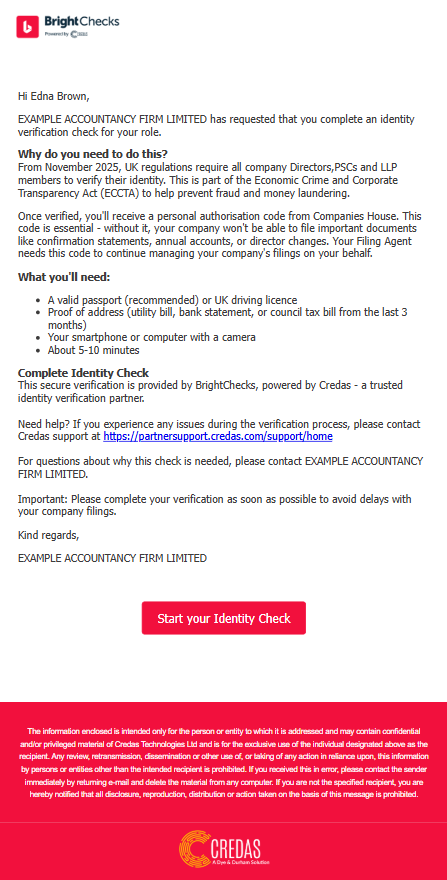
2. Following the Start your Identify Check button will take the individual in to the process.
The screen which they will initially see is shown below. Selecting Let's get started! opens the terms and conditions which must be confirmed to proceed.
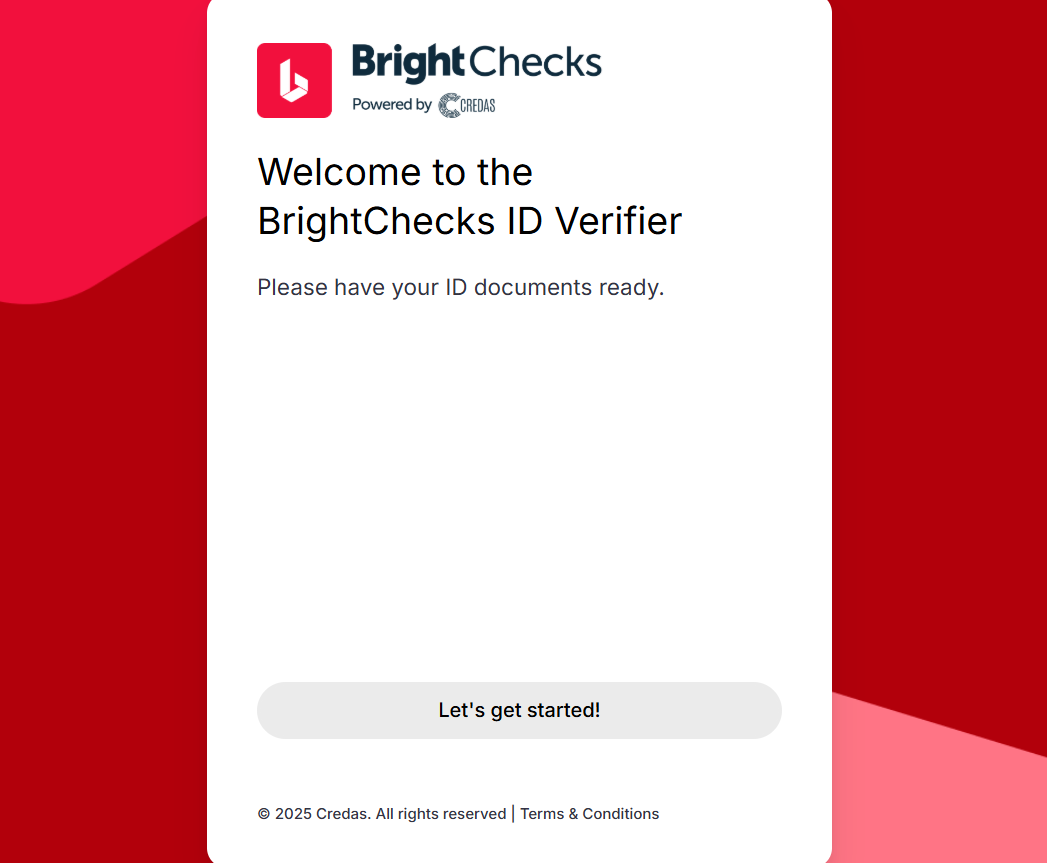
3. The check can be completed on desktop or by phone. Most will find phone a more practical option due to the increased camera functionality.
The process will slightly differ based on the 2 options:
- Continue on desktop - Identification can uploaded as an image and a photo taken using your webcam.
- Switch to mobile - Photos can be taken of identification (or uploaded) and a selfie on the phone.
The steps below are based on Switch to mobile.
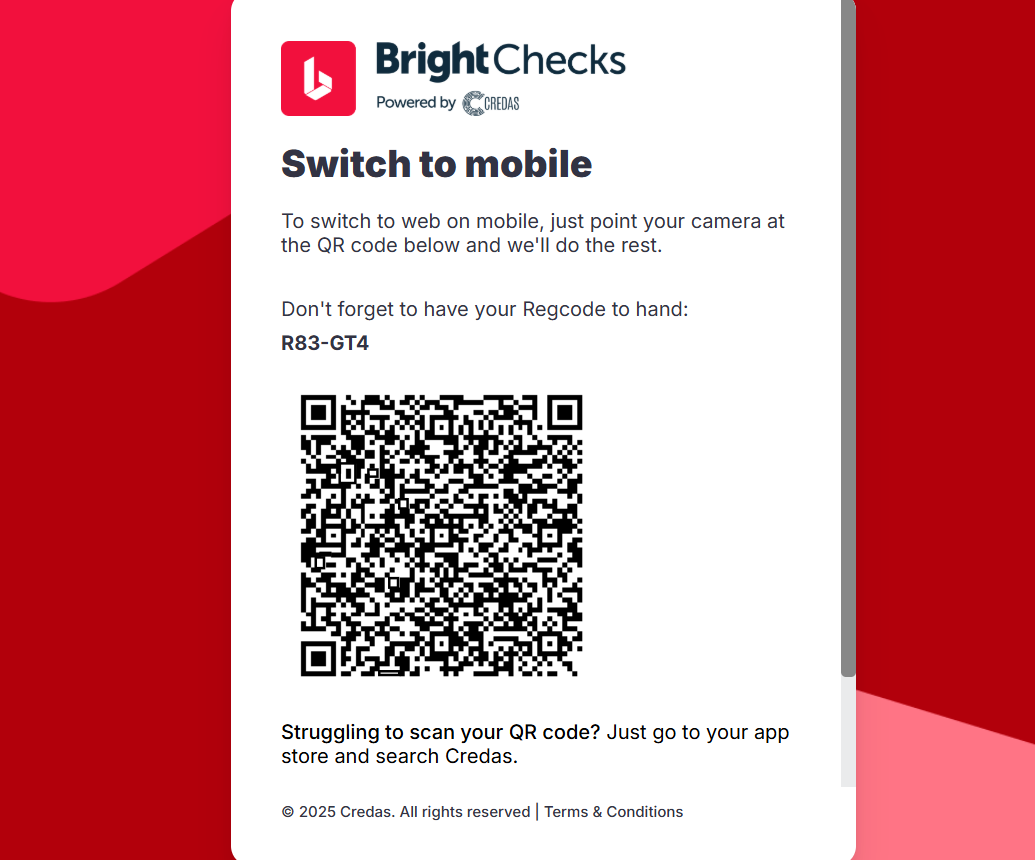
4. Selecting Switch to mobile displays a QR code for the check. The individual can take a photo of the code to access the check process.
5. The check process will open with the name and date of birth populated for the individual, they can confirm that this is correct and continue.
6. The proof of ID can then be added, initially the address identification (if and address check is selected) and photo ID, by selecting the form of ID being used as shown below.
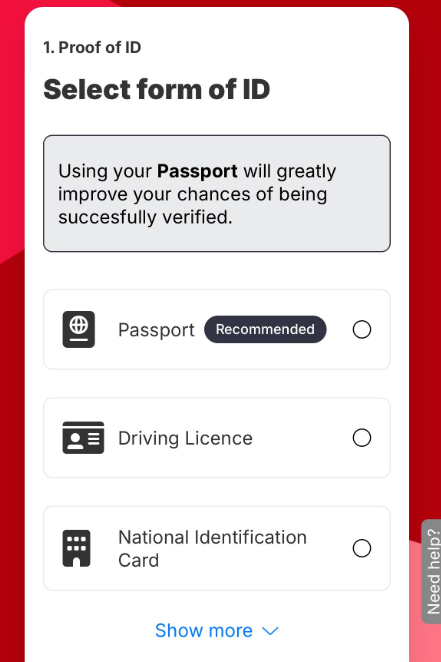
What ID documents are accepted for the check? Credas' checks are aligned with 'Option 1' of the Companies House identity verification standard — a single document, validated electronically (IDVT) rather than checked by a person. The accepted documents follow that list: a biometric or machine-readable passport (or Irish passport card), a UK, Channel Islands, Isle of Man or EU photocard driving licence (full or provisional), an EU/EEA biometric identity card (from the EU, Norway, Iceland or Liechtenstein), a UK biometric residence permit or card, a UK Frontier Worker permit, or an eVisa.
Note: a UK accredited PASS card cannot be used for this check, even though it's a valid Companies House identity document in other contexts. A PASS card only counts as evidence under Companies House's separate 'Option 2' route (2 documents, checked by a person) — the automated check BrightChecks uses only supports Option 1, so a PASS card, birth certificate, utility bill or any other Option 2-only document won't be accepted here. If your client only holds documents like these, contact our support team for guidance on how to proceed.
For the full, current list of Companies House identity documents (across both options) see Companies House's guidance.
7. Fine points on completing the check are shown in the Credas check guide. Please see the link below:
Common questions
Can my client use a passport or driving licence issued outside the UK for the check?
Passports: yes. A biometric or machine-readable passport can be used whichever country issued it.
Driving licences: the check only accepts a photocard driving licence (full or provisional) issued in the UK, the Channel Islands, the Isle of Man or the EU. A driving licence from any other country can't be used for this check, so ask your client to use their passport or another accepted document from the list above instead. If your client has no accepted photographic ID, contact our support team for guidance on how to proceed.
What can my client use as proof of address if I choose the identity and address check?
The check does not validate the proof of address document. It is for you, as the ACSP, to review the document your client provides and be satisfied it is suitable. Overseas residential addresses cannot be checked, so the address option is not available for them (see our FAQ).
The client says the check keeps saying their documents are invalid. What should I check?
First confirm the photo ID is on the accepted list above: a driving licence from outside the UK, Channel Islands, Isle of Man or EU, a bank statement, a council tax bill or a utility bill will not be accepted as the photo ID. Then check it is not expired, the image is clear and uncropped without glare, and the name and date of birth match what you sent. See What happens when an identity check fails?
My client's passport chip won't scan (NFC) and they're stuck on the chip scan screen. How do they get past it?
The chip scan is part of the phone app route. If the chip can't be read, your client should complete the check in a browser instead of the app. The email from Credas contains a link to complete the check in a browser: ask them to open that link on a computer (or in their phone's browser) rather than using the app. In the browser they upload an image of their passport and take a photo with their camera or webcam, with no chip scan needed. If they can't complete it this way, contact our support team.
Also known as: is a foreign passport accepted for the identity check, non-UK passport for ID check, passport from another country, foreign driving licence not accepted, provisional driving licence rejected, non-EU driving licence, what counts as proof of address, council tax bill as proof of address, ID check says document invalid, can't get past the last step of the ID check, which documents does Credas accept, NFC chip not working, passport chip won't scan, can't scan passport chip, skip NFC scan, bypass chip scan, use photo of passport instead of chip, stuck on the scan your passport screen, Credas app won't read passport, complete ID check in browser instead of app.